Day-02
✅ Web Accessibility - important only
Semantic Tags in Html
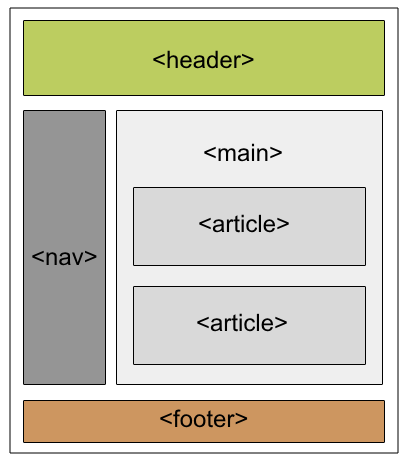
👉 aria-label : give name for screen reader, not visible on screen
<button aria-label="trash-button">Move to trash</button>👉 aria-labelledby : use another element as name
<h2 id="sectionTitle">Profile Info</h2>
<div aria-labelledby="sectionTitle">
  user info...
</div>
👉 aria-hidden : hide from screen reader
<span aria-hidden="true">🔥</span>👉 aria-live : notify screen reader on content change
<div aria-live="polite">You have 3 new messages</div>👉 aria-expanded : show open/close state
<button aria-expanded="false">Menu</button>👉 aria-controls : indicate controlled element
<button aria-controls="menuList" aria-expanded="false">Menu</button>
<ul id="menuList"> ... </ul>
👉 aria-current : indicate current page in navigation
<a href="/home" aria-current="page">Home</a>👉 role : describe element type (not aria-role)
<button aria-label="Submit form">Submit</button>
<h1 role="heading">Heading</h1>
<nav role="navigation">Navigation</nav>
✅ Not Found page in next.js
👉 Create `not-found.js` page at root level for custom error page
👉 Separate not-found page only works in dynamic routes
👉 Use notFound() to trigger 404 programmatically
✅ Route Grouping and Private Routes
👉 Mainly used to organize routes
👉 Create group routes folder wrapped with ( )
👉 Example: about and services routes in name - Dhiraj Arya
👉 Private routes mean app routes based on file & folder, not dynamic data
👉 To create private routes, prefix folder name with _underscore
👉 If needed, use %5F instead of _ in route paths